
Free & open source
Your money.
Your data too.
Personal finance that stays with you. No cloud, no account.
Available for macOS 12+ · ~20 MB
How it feels
Drop in a statement. Read your month.
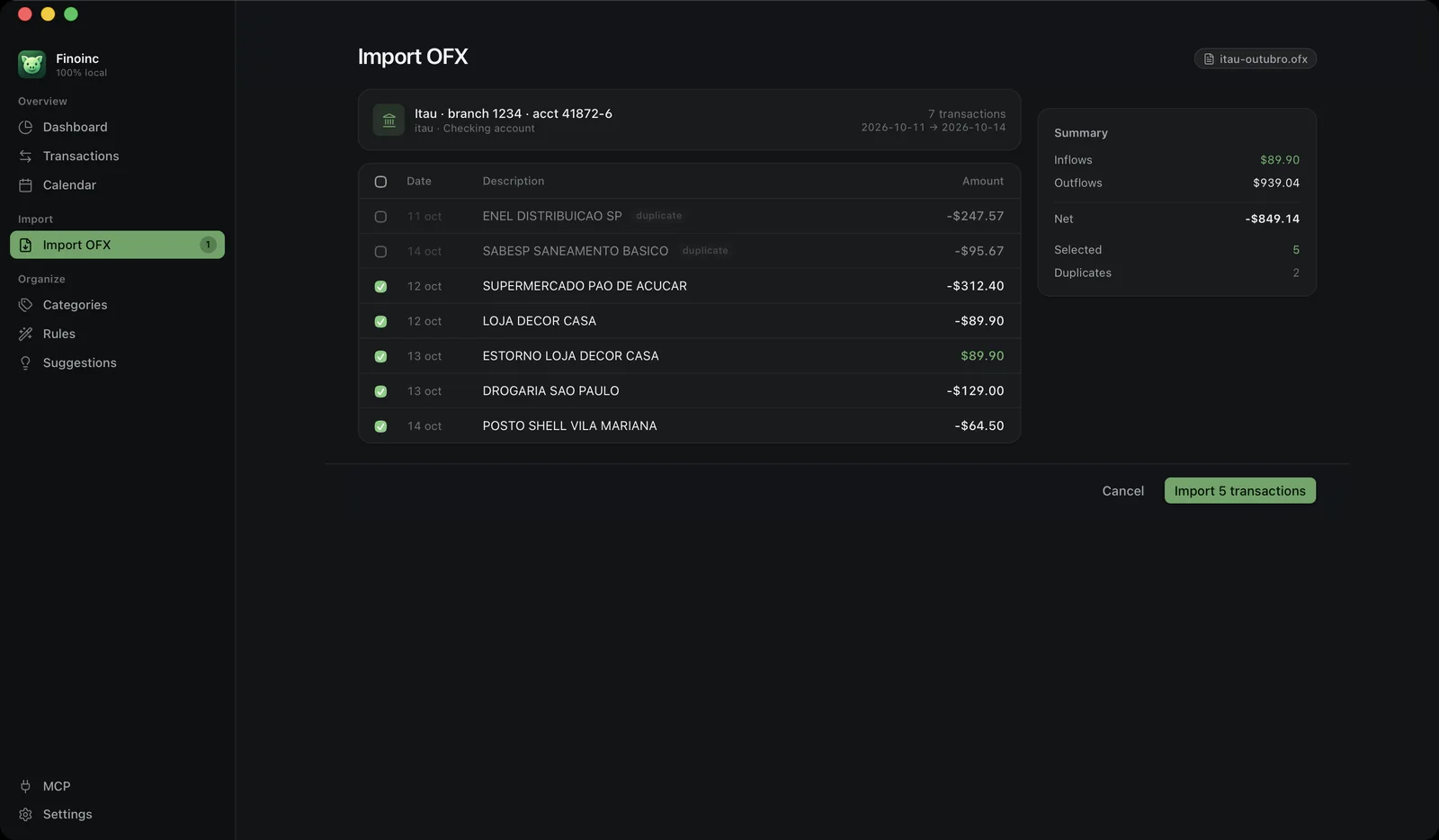
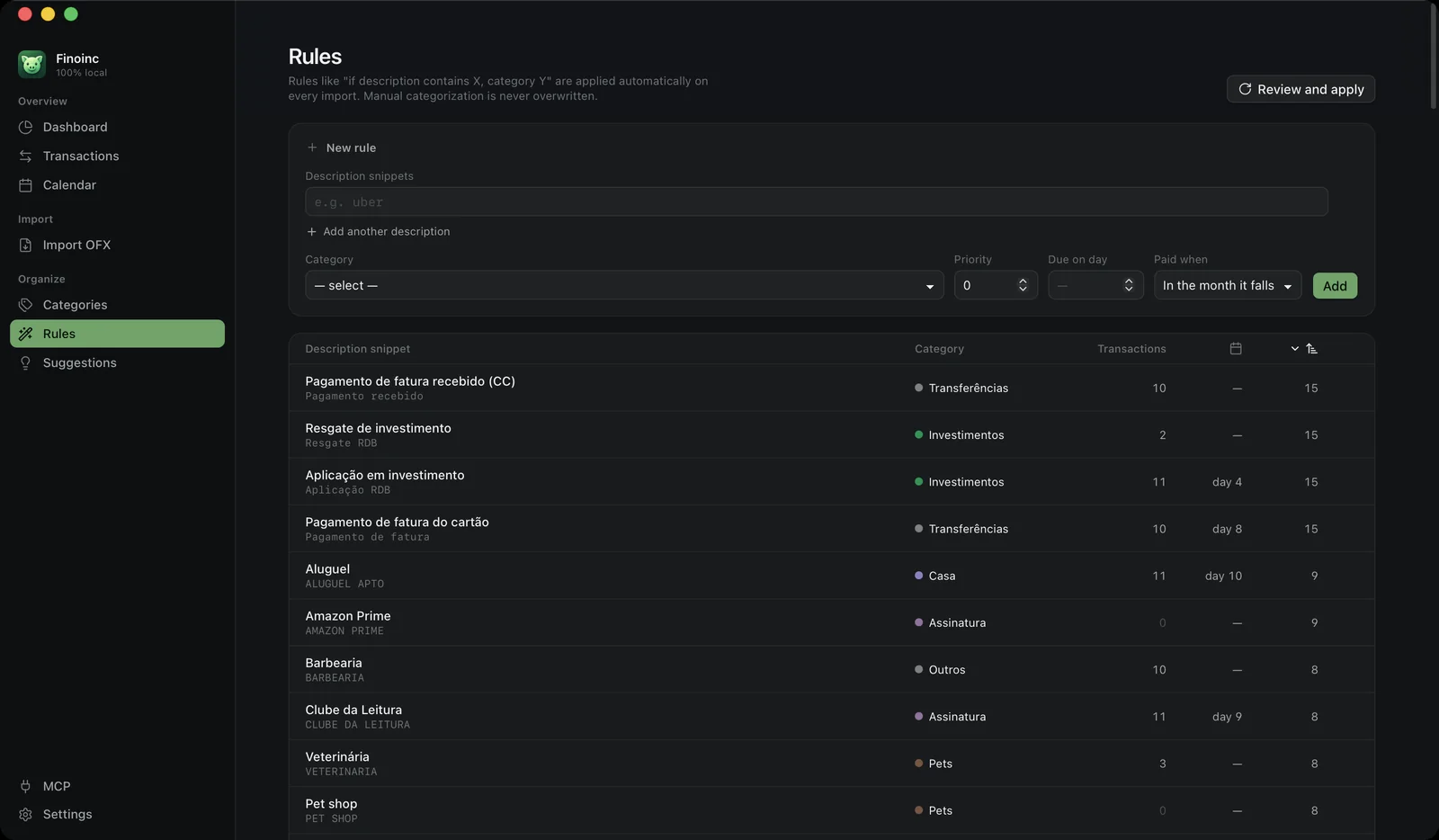
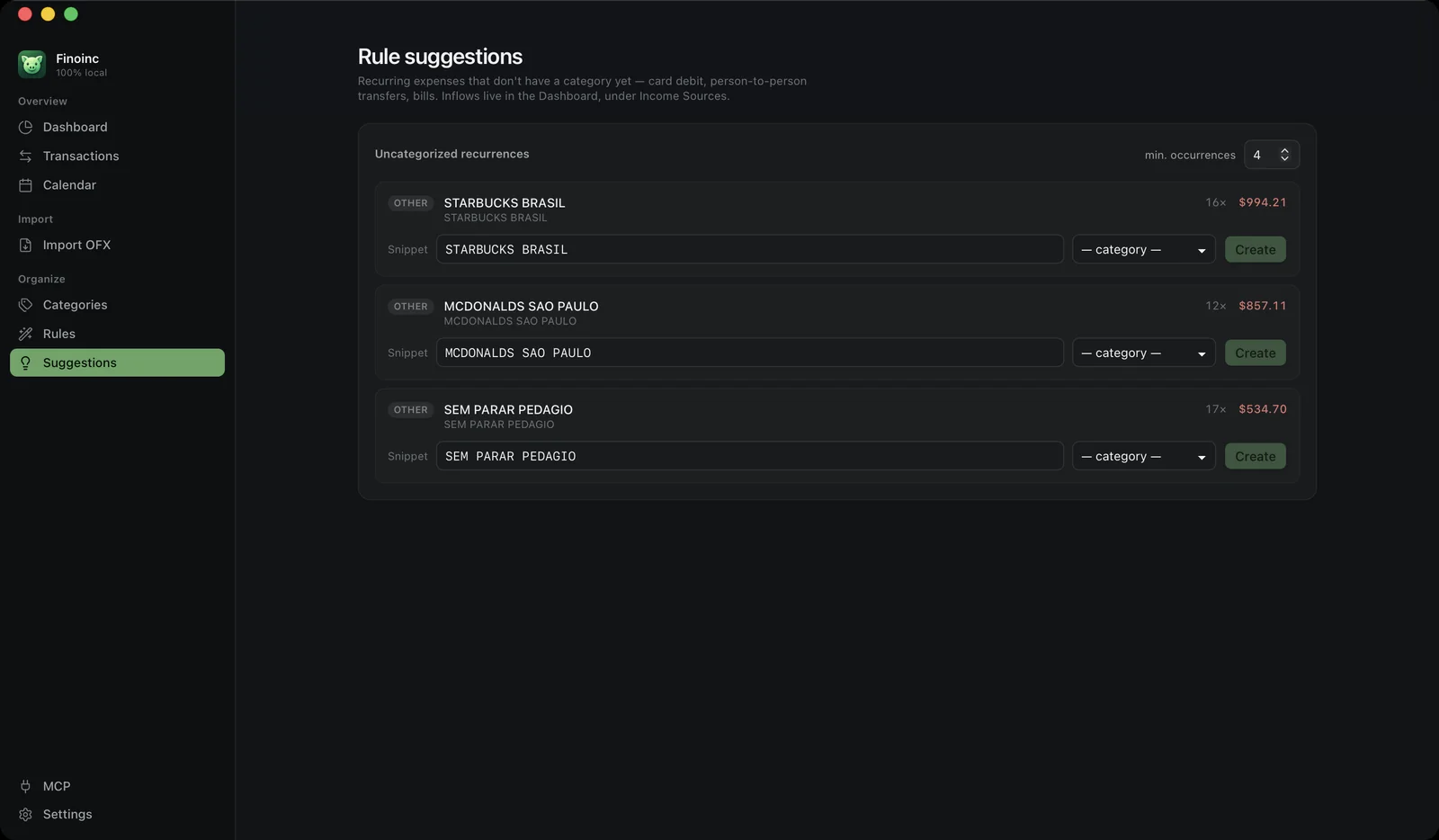
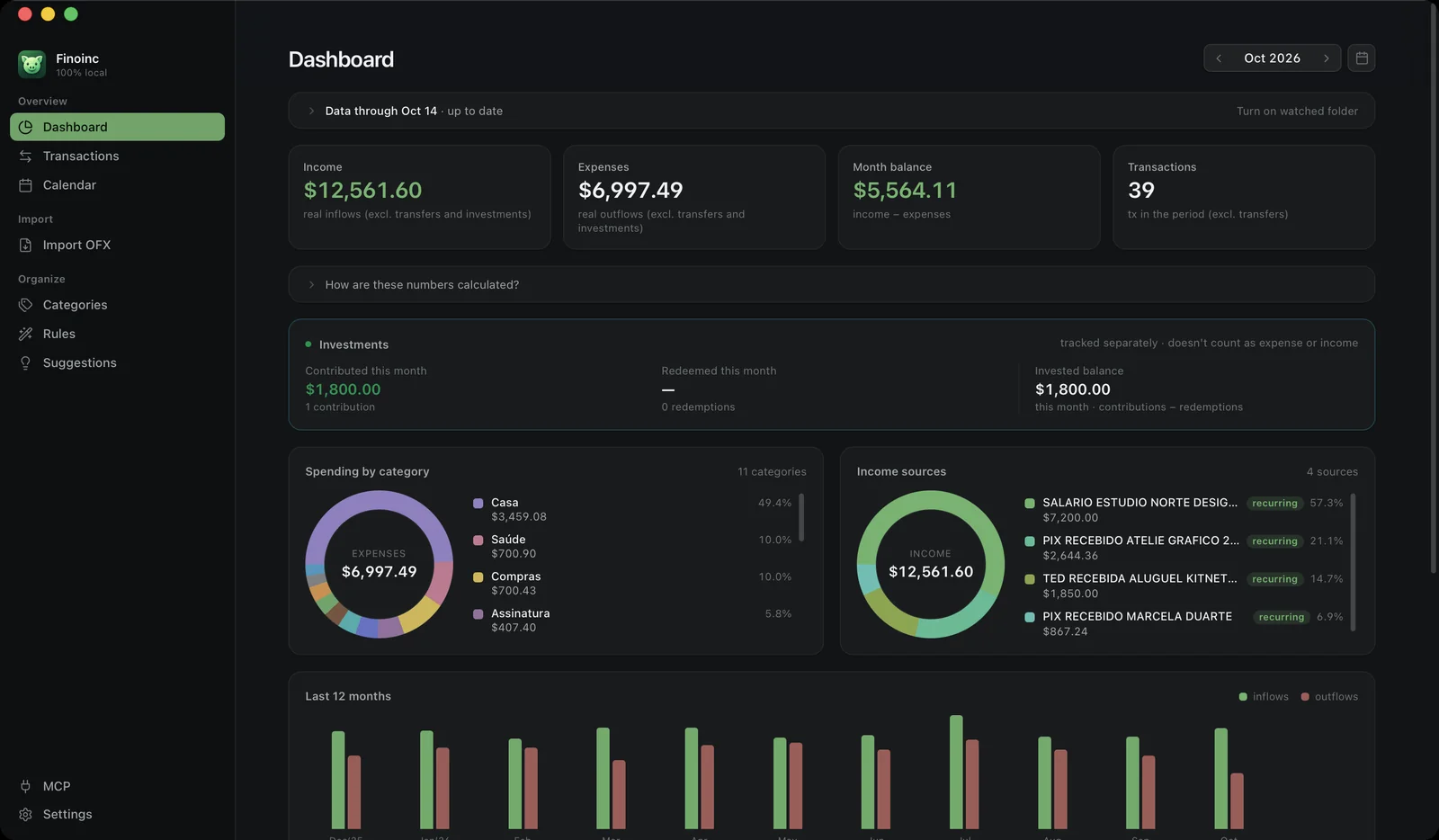
Review before anything is saved
Drag the .ofx in, open it from Finder, or let the app watch a folder. Duplicates are flagged and left unchecked, refunds are paired with their charges, and nothing is written until you say so.
Rules that categorize for you
If the description contains this, file it under that. Rules run on every import, ship ready for your language, and a category you pick by hand always wins.
It shows you which rules you're missing
Finoinc spots recurring charges that landed without a category and pre-fills the rule. You pick the category: the app points at the pattern, it never guesses what it means.
A month you can actually read
Income, expenses, balance, spending by category and where your income comes from. Transfers between your own accounts never count twice, and investments get their own panel.
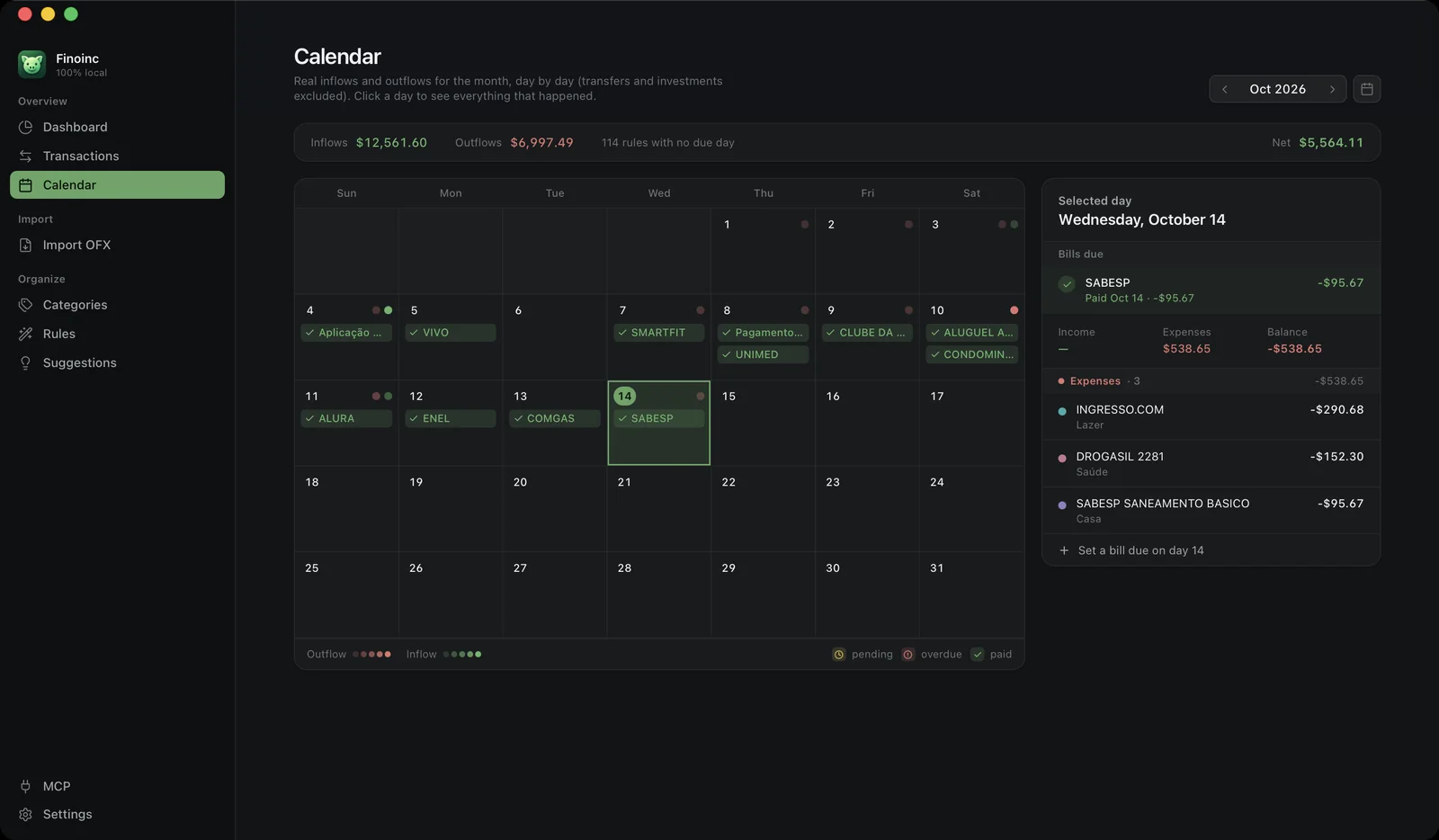
Bills on a calendar, not in your head
Every rule with a due day becomes a bill. See what's paid, pending and overdue, and settle it against the exact transaction that paid it.
How it works
From your bank's file to clear answers.
Your bank already exports OFX. Finoinc takes it from there.

-
01
Export the .ofx
The statement file your bank already offers.
-
02
Review it
Duplicates and refunds come pre-flagged. Nothing is saved until you confirm.
-
03
Rules sort it
Charges that match a rule land in their category; the ones that don't, you teach in a click.
-
04
One file, yours
finan.db, plain SQLite. Back it up, move it, open it anywhere.

Privacy
Private by design, not by promise.
No account. No login. No telemetry. No ads.
| Launching, importing, categorizing, browsing, backing up | Never |
|---|---|
| MCP server on | Never dials out. It only listens on 127.0.0.1 |
| Brazilian company lookup (off by default) | Only the CNPJ digits, to BrasilAPI, after you turn it on |
AI, on your terms New
Your AI asks. Finoinc answers.
Turn on the MCP server and a local AI agent can ask about your money in plain language. The server listens on 127.0.0.1 only and starts off. Read tools start on, write tools start off, and every tool has its own switch.
How much did I spend on restaurants last month, and is it going up?
R$ 374,93 on restaurants in September, 12% less than August. It has dropped two months in a row.

Under the hood
Small, native, yours.
- ~20 MB
- installed, no Electron
- Universal
- Apple Silicon + Intel
- 2
- languages built in
- 12+
- macOS
- Rust + Svelte
- on the WebKit macOS already ships
- MIT
- read every line

Install in a minute.
- Download the .dmg and drag Finoinc into Applications.
- Finoinc isn't signed with a paid Apple certificate, so macOS blocks the first launch once. Click OK (never Move to Trash), then run this in Terminal:
xattr -dr com.apple.quarantine "/Applications/Finoinc.app" - Open it normally. That's it.
Available for macOS 12+ · ~20 MB